Supplies needed: Tripod, 2x standard SDI cable, Fin Antenna, 2x short (“whip”) antennas.
- Retrieve one of the small, lightweight tripods from the AV Case and place it in a convenient location.
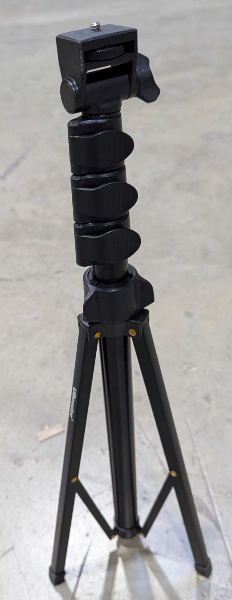
- Retrieve the fin antenna from the Production Drawers and attach it to the tripod. Aim the shorter end of the fin antenna at the field area.
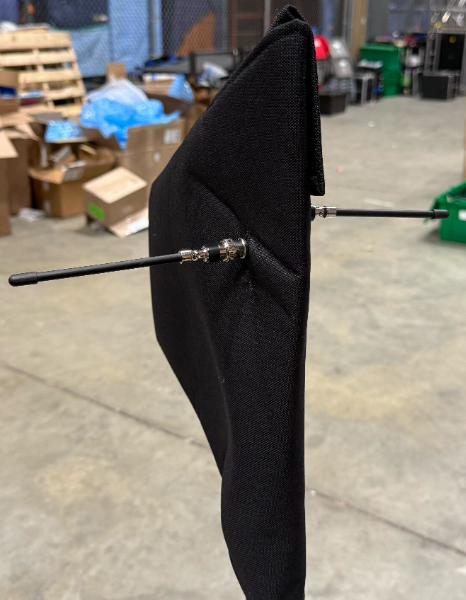
The fin antenna has a horizontal coverage of 120 degrees, centered on the blade of the antenna. The primary operational area of the wireless equipment is beside or behind (i.e., the side that is closer to the scoring table) the fields. Thus, it should be placed that as much of this area is within this 120 degree arc, ideally it should all be within this area. Because of the directional nature of the antenna, placing it as close as possible to the source is not always the best option. Moving the antenna back allows the 120 degree arc to cover more area. - Retrieve two shorter (whip) antennas from the drawers in the Production Drawers. Connect these antennas to the exposed ports on each side of the fin antenna. Point the antennas straight out from the sides, as shown.
- Retrieve two bare SDI cables from the SDI A/V tote. These cables should not be sleeved and should only have one connector.
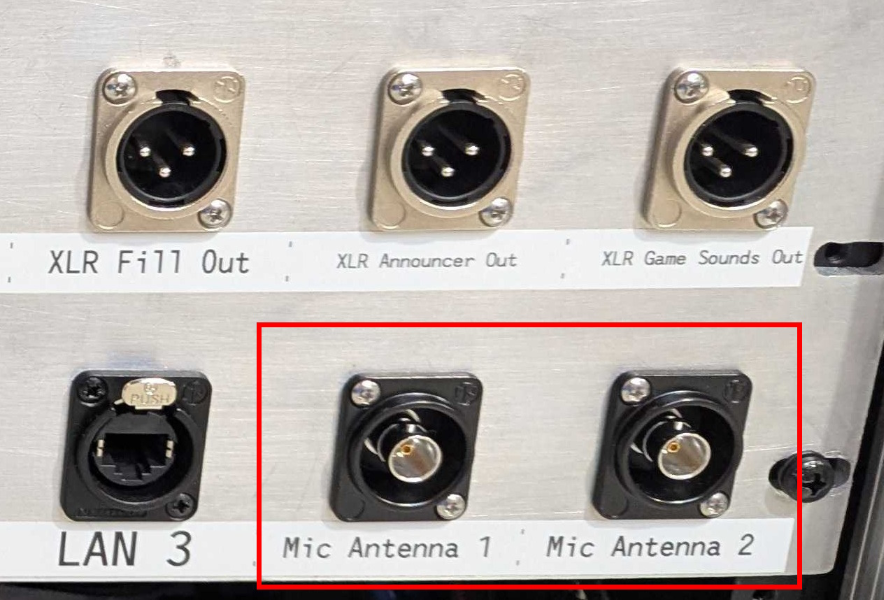
- Connect one end of each SDI cable to the ports labeled “Mic Antenna 1” and “Mic Antenna 2” on the back of the Streaming Unit.
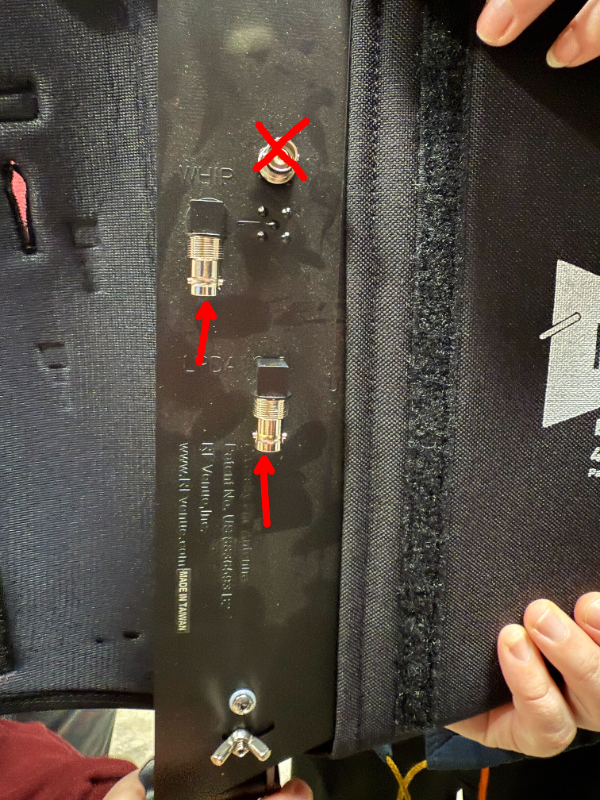
- Connect the other end of the cable to the connectors on the fin antenna labeled “LPDA” and “WHIP”. It does not matter which port is connected to which cable in this setup. Be careful not to connect to the outputs for the whip antennas.
Stage 2a is complete. Proceed to Stage 2b.