Supplies needed: Streaming Unit (includes monitor), mouse and keyboard (inside Production Drawers), 1x power/HDMI bundle cable, 1x twist-lock power cable, 1x power strip.
- Retrieve 1 power strip from the power AV tote.
- Wheel the Production Drawers and the Streaming Unit into the same rough location for ease of assembly.
- Open the streaming unit’s covers, setup the integrated table and carefully remove the monitor inside.
Tap to expand/collapse detailed steps on removing the Streaming Unit's covers.
Remove the top cover of the Streaming Unit.
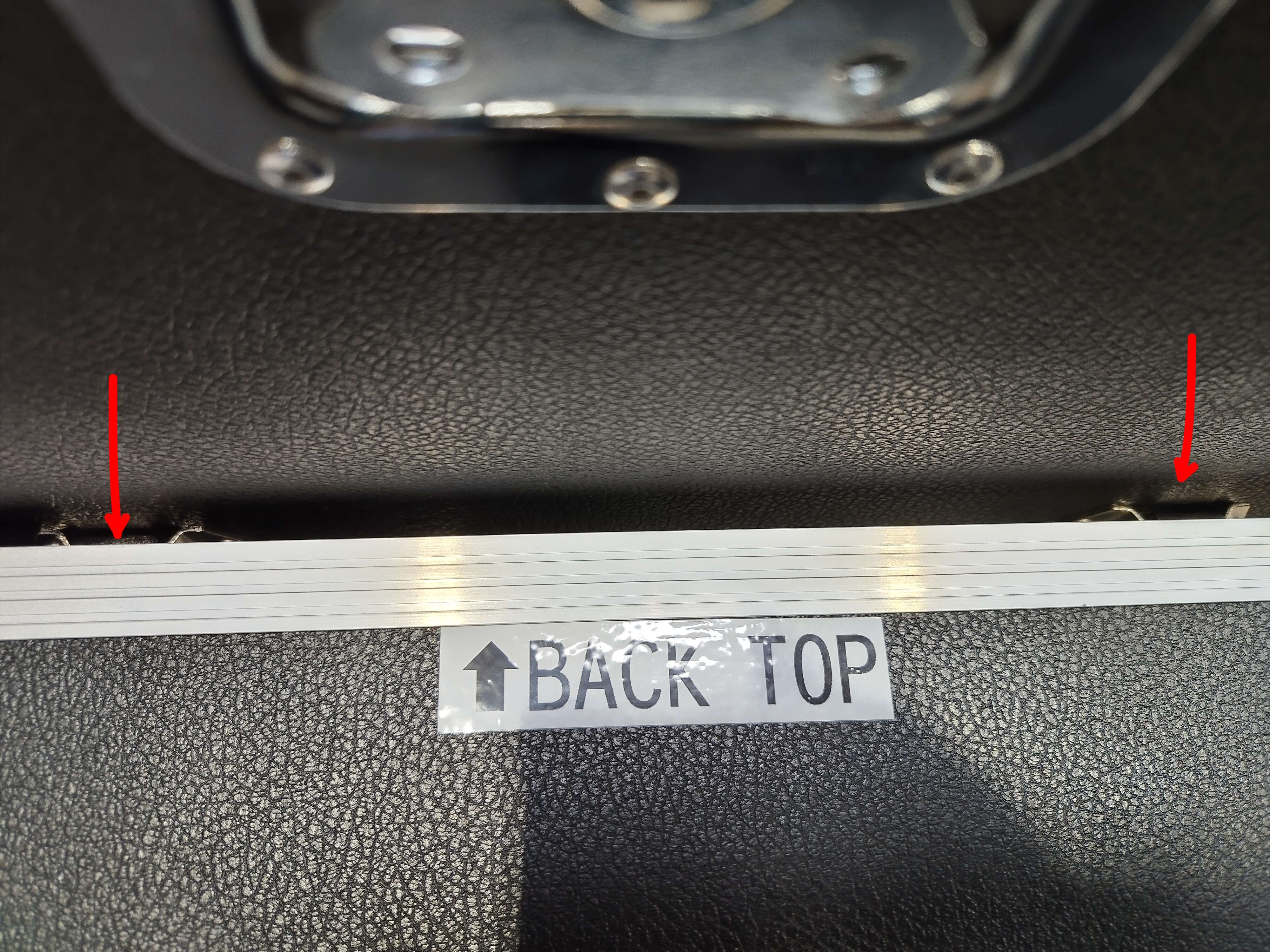
Remove the back cover of the Streaming Unit. The top edges of the case are labeled as to which side they are (front or rear).
Unfold the legs of the table top, then secure with the screw and wing nut.
Locate the pins on the side of the table into the corresponding slots on the Streaming Unit.
Now remove the front cover, taking care that the monitor mounted inside does not contact anything forcefully. Lay the cover against something sturdy and ensure that it won’t easily fall.
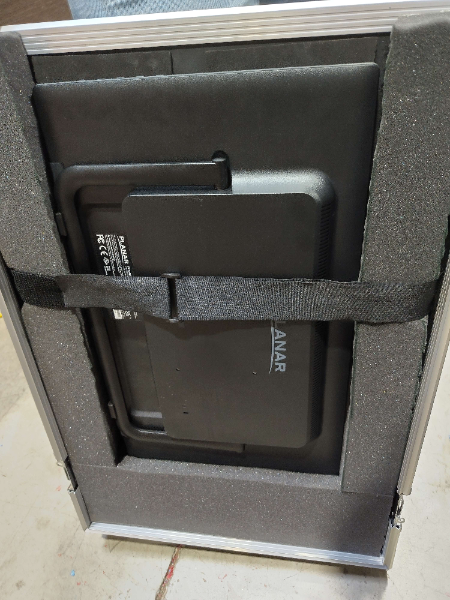
- Grab the back of the monitor and carefully remove, placing it on the table surface.
- Connect the monitors to the Streaming Unit and the Streaming Unit to power. Be sure to use a power strip in the UPS’s free outlet so multiple devices can be connected.
Tap to expand/collapse detailed steps on connecting monitors to the Streaming Unit.
Locate the power/HDMI cable bundle and one twist lock power connector. They should be located in the bottommost drawer of the Production Drawers, but may be located in one of the AV totes, depending on who last packed the equipment.
Plug the power strip into the one free power outlet on the UPS unit at the bottom of the Streaming Unit.
Plug the HDMI cable into the “HDMI Monitor Out” HDMI connector and any available power connector on the power strip. Plug these cables into the monitor.
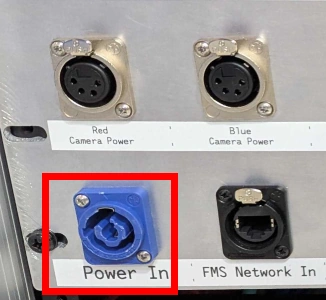
- Insert the twist lock power connector into the blue receptacle on the back of the streaming unit, then twist clockwise approximately 90 degrees until there is a click. The tab should face to the top when secured.
- Locate the keyboard and mouse and plug them into the Streaming Unit.
Tap to expand/collapse detailed steps on locating and connecting the keyboard and mouse.
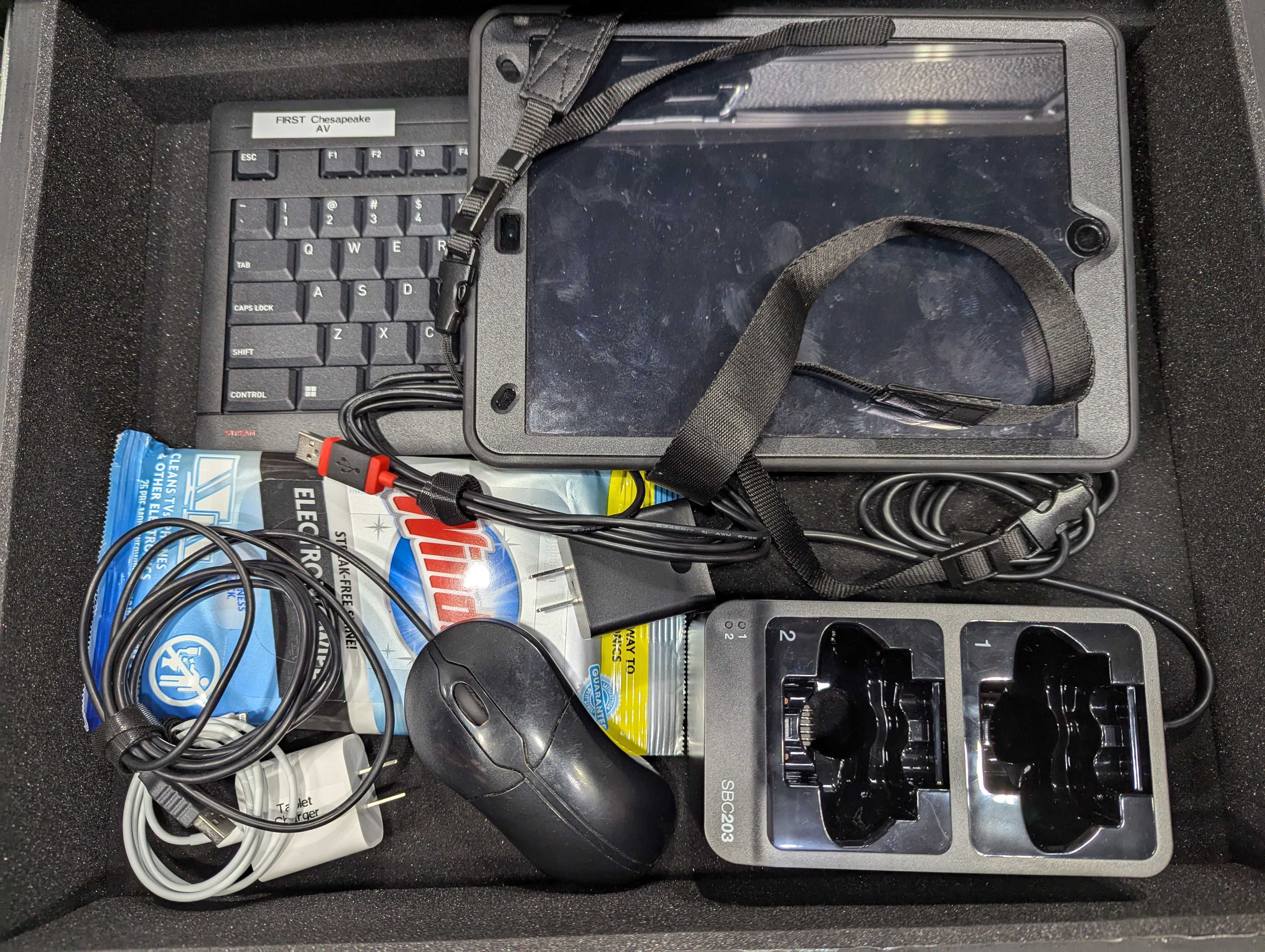
- Locate the keyboard and mouse, which are located in the second drawer of the Production Drawers.
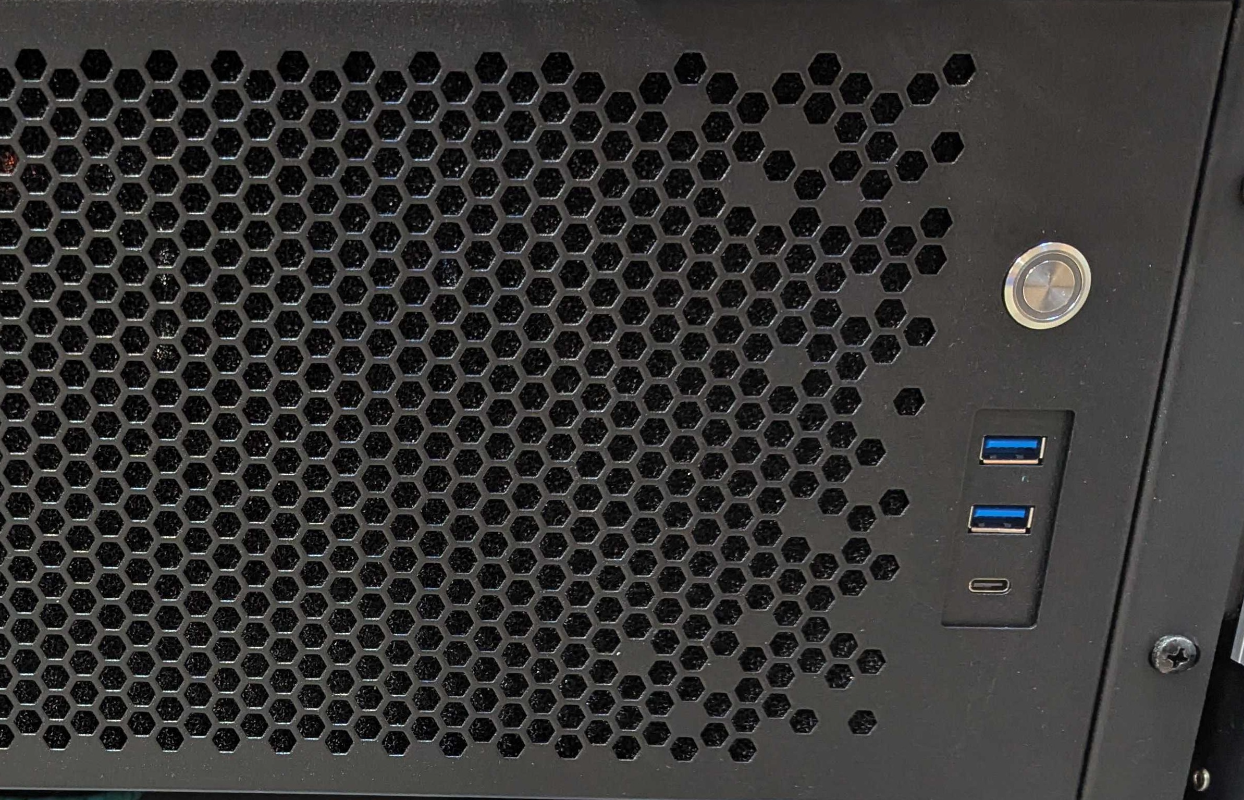
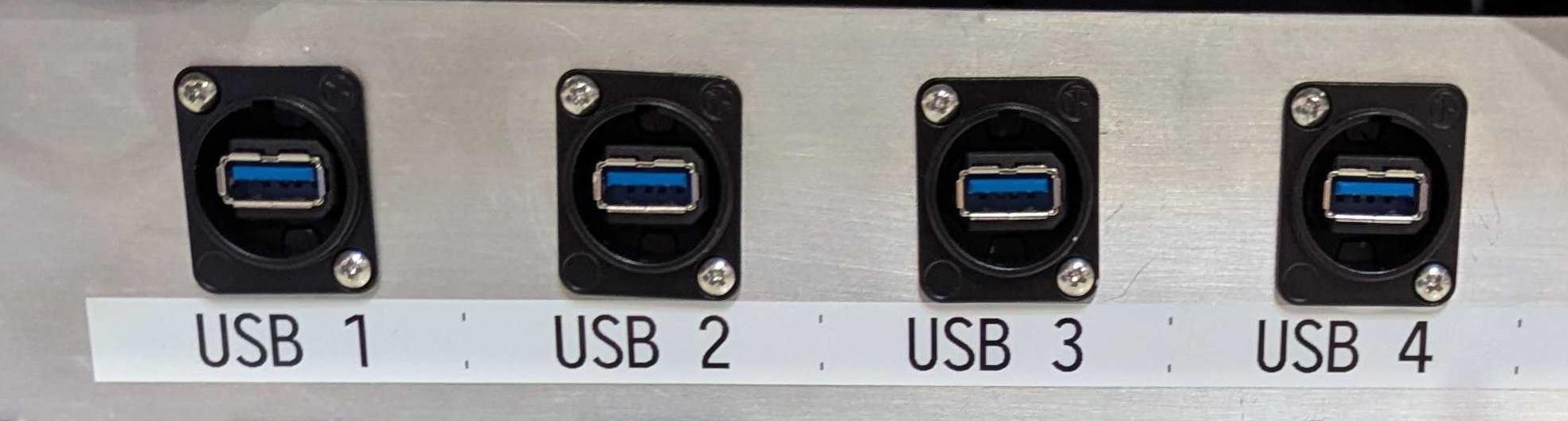
- Plug each of these into one of the available front or back USB connectors.
Stage 1a is complete. Proceed to stage 1b.