Contents:
For Scorekeepers:
Warning
Changing any of these settings after robot inspection has started will clear the history of teams that were inspected. Make sure to set this up before the LRI opens inspections up to teams.
- Ensure that the server is logged into with “Event Admin” permissions or higher. The default ‘local’ user has these permissions.
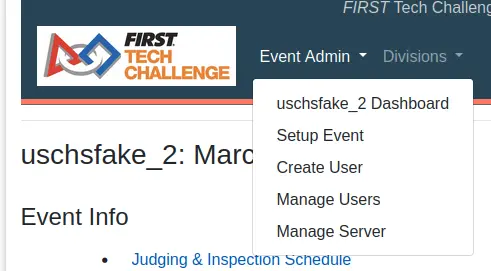
- Click on the dropdown menu labelled Event Admin (next to the logo) and select Dashboard for the current event. For example, this event is named uschsfake_2.
- From the event dashboard go to configure judging/inspection tracking.
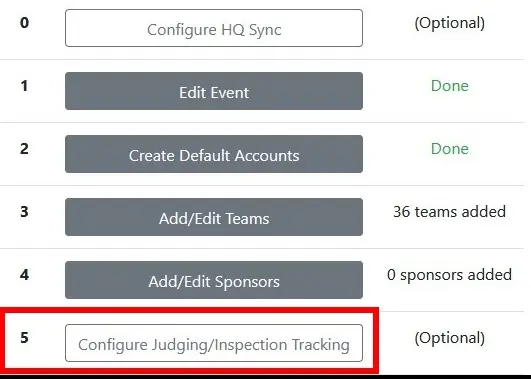
- Configure as shown below.
- Check “Robot Inspection” under Tracking Settings and “Enable READY state queue” under State Settings. Leave all other boxes unchecked unless the event wishes to display other parameters.
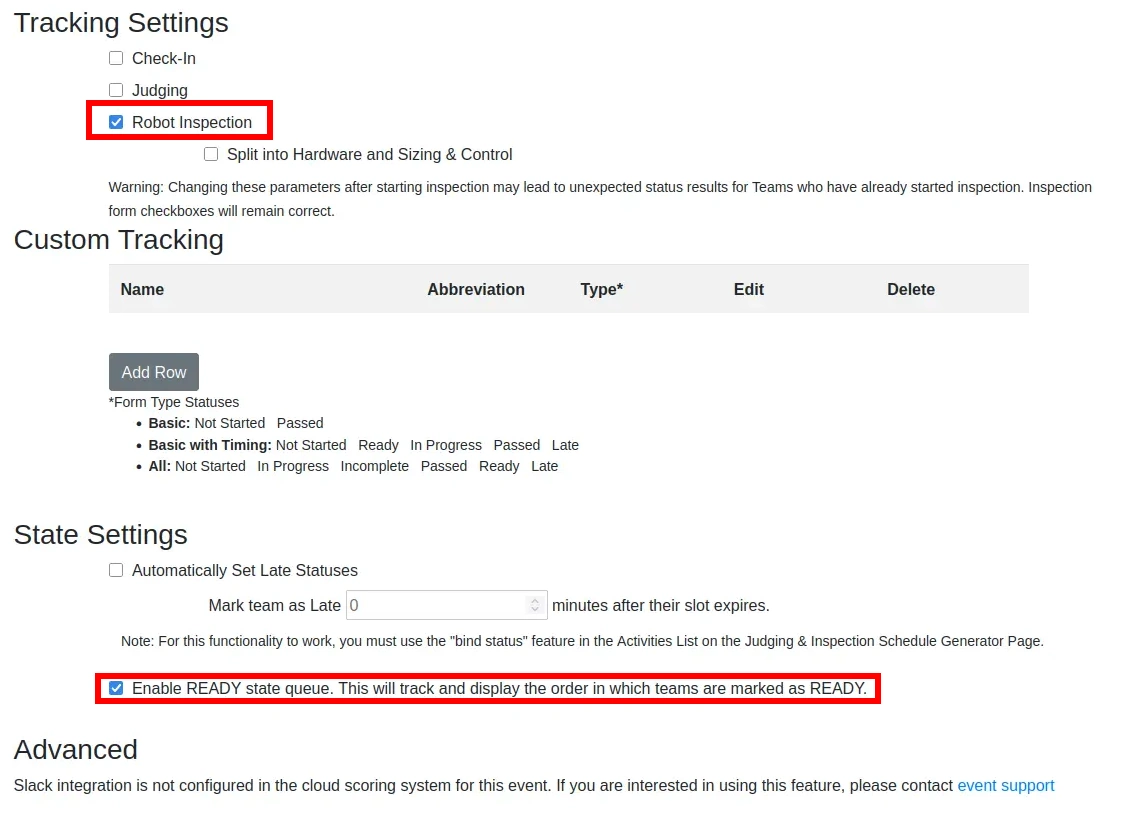
- Check “Robot Inspection” under Tracking Settings and “Enable READY state queue” under State Settings. Leave all other boxes unchecked unless the event wishes to display other parameters.
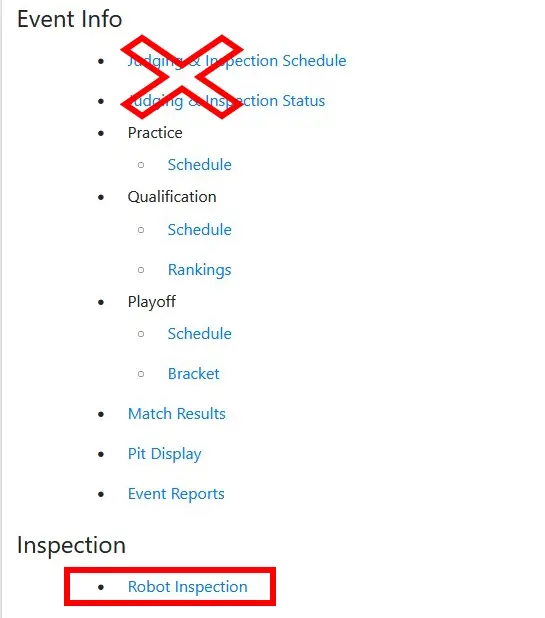
- Verify the settings were applied successfully.
- Click the FTC logo to return to the main event page, and select “Robot Inspection”. If this option is not displayed, login as a lead robot inspector or event admin.
- Within the Robot Inspection page, enter the Lead Robot Inspector Override screen.

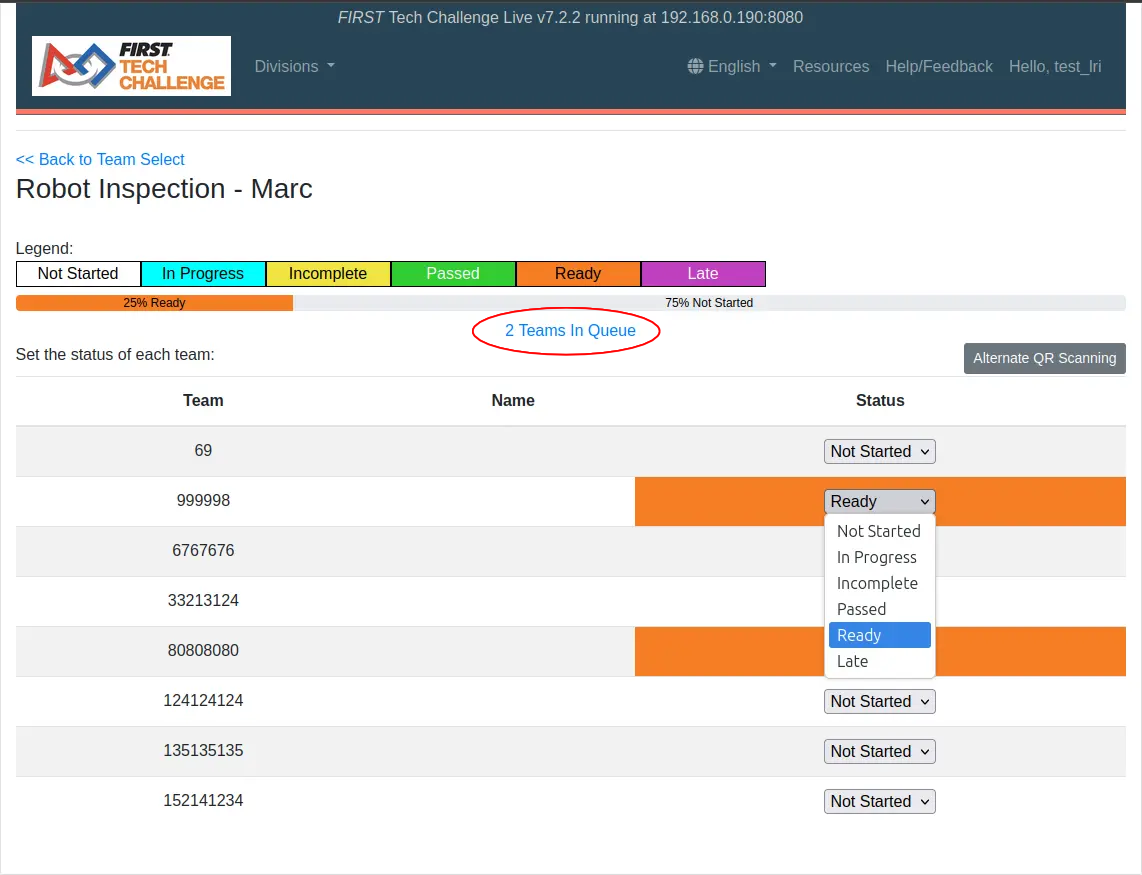
- Verify that marking a team as “Ready” causes a blue heading to show that team in the queue, as displayed in the screenshot.
- Click the FTC logo to return to the main event page, and select “Robot Inspection”. If this option is not displayed, login as a lead robot inspector or event admin.
Dual Division Events Notes for Scorekeepers
Since inspection tracking is done for each division separately, all of these steps need to be completed for each division.
For Lead Robot Inspectors
Verify that the scorekeeper has enabled inspection tracking with a ready state queue, then follow the steps below.
- Login to the lead robot inspector account on FTCLive. This should be done by the scorekeepers.
- Click the FTC logo to return to the main event page, and select “Robot Inspection”.
- Select the “Lead Inspector Override” link found on the top right corner of the robot inspection menu. If this link is not present, check that the account logged in is the lead inspector account (consult with the scorekeepers if necessary).
- Once in the LRI Override mode, team statuses can be set as shown below. Marking teams as Ready will add them to the “In Queue” list for inspectors to claim.
Marking Ready: Order Matters!
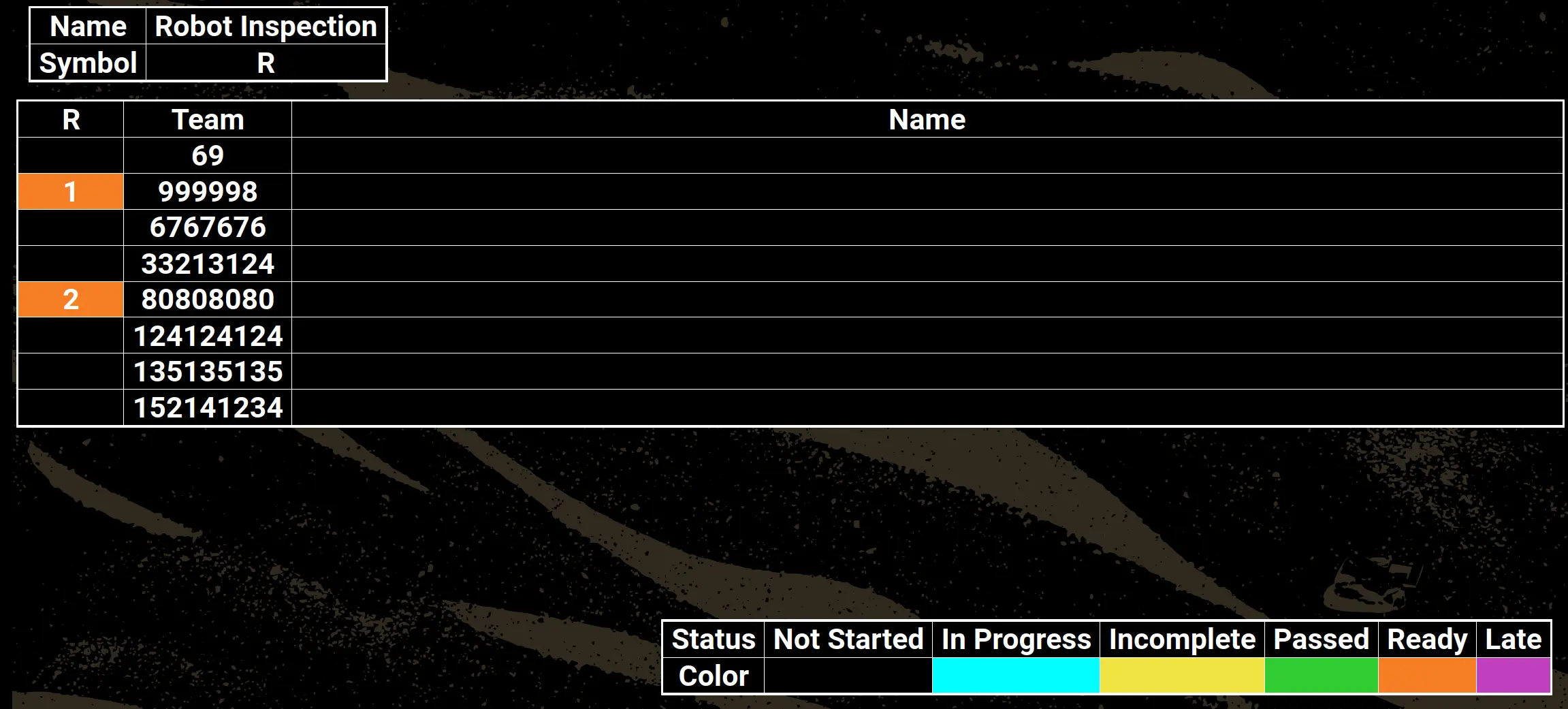
Teams are marked as ready in the order they are set on this screen. This order is shown on the pit and field inspection displays. See below for an example of this ordering mechanism.
Dual Division Events Notes for Lead Robot Inspectors
Dual-Division events have separate inspection tracking for each division. Typically, the lead inspector needs to have two tabs open to alternate between as necessary.