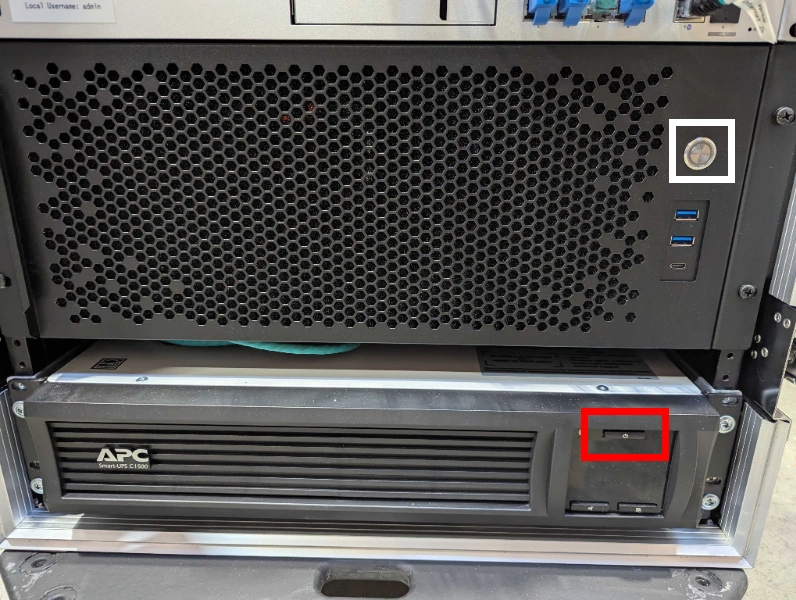
- Locate the uninterruptible power supply at the bottom of the Streaming Unit.
- If the screen is off, press and release the power button (marked in red below) to wake the screen up. With the screen on, press and hold hold the power button for five seconds and then release it. The UPS should beep and turn the power on.
- Verify that the UPS does not emit a repeating series of four beeps followed by a pause for several seconds. This beep pattern indicates that AC power has been lost and the unit is on battery. If this is the case, or if it occurs during the event, check to ensure power is being delivered to the Streaming Unit.
UPS Runtime
The UPS has a timer that counts down on the screen when it is in battery mode, but it can typically support 30-40 minutes of operation. Thus, while loss of power is not immediately harmful, it should be prioritized and fixed as soon as time allows (e.g., after the current match concludes).
- Press the power button on the streaming unit PC to turn it on (marked in white above).
Stage 1c is complete. Proceed to stage 1d.